It is not free, it is not big but most advantage, it does not hard to learn because it is a new thing. And this is Microsoft Azure, a cloud development environment from Microsoft. There are a lots of tools that you can choose to develop your project but here I want to show you how to deploy ASP.Net Web App to Azure App Service. It is not a real example but the way to do it yourself.
Get Started
Notice: This is just the way on how to create your project on MS Azure. It is not real example because I am so poor. I don't have money to buy any of MS Azure's Plan.
Please go to video in action: https://www.youtube.com/watch?v=QoLmf6kolow
Get Started
- Go to https://windowsazure.com to get an account
- Sign up with using Free Trial if you need to take a look first, then MS Azure will create a Free Trial Plan with $200 credit.
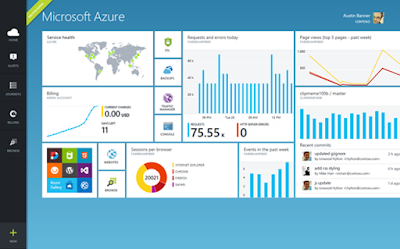
- After success, you look into your account then you seem to see your Dashboard and there you can setup your project with a few click.
- After you created a Web App Service in Azure, you need to go back to your Visual Studio 2015
- Create Web Application (ASP.Net). See how here: https://docs.asp.net/en/latest/publishing/azure-continuous-deployment.html
Notice: This is just the way on how to create your project on MS Azure. It is not real example because I am so poor. I don't have money to buy any of MS Azure's Plan.
Please go to video in action: https://www.youtube.com/watch?v=QoLmf6kolow


